Endoscope + Field Camera
Record the internal endoscopic view together with an external surgical field view.

Dual-source surgical recording
DM-RP4K2 accepts two 4K HDMI video sources and can record both channels simultaneously or record Channel 1 or Channel 2 independently. It is designed for operating room recording, surgical teaching, case documentation, and post-case review.
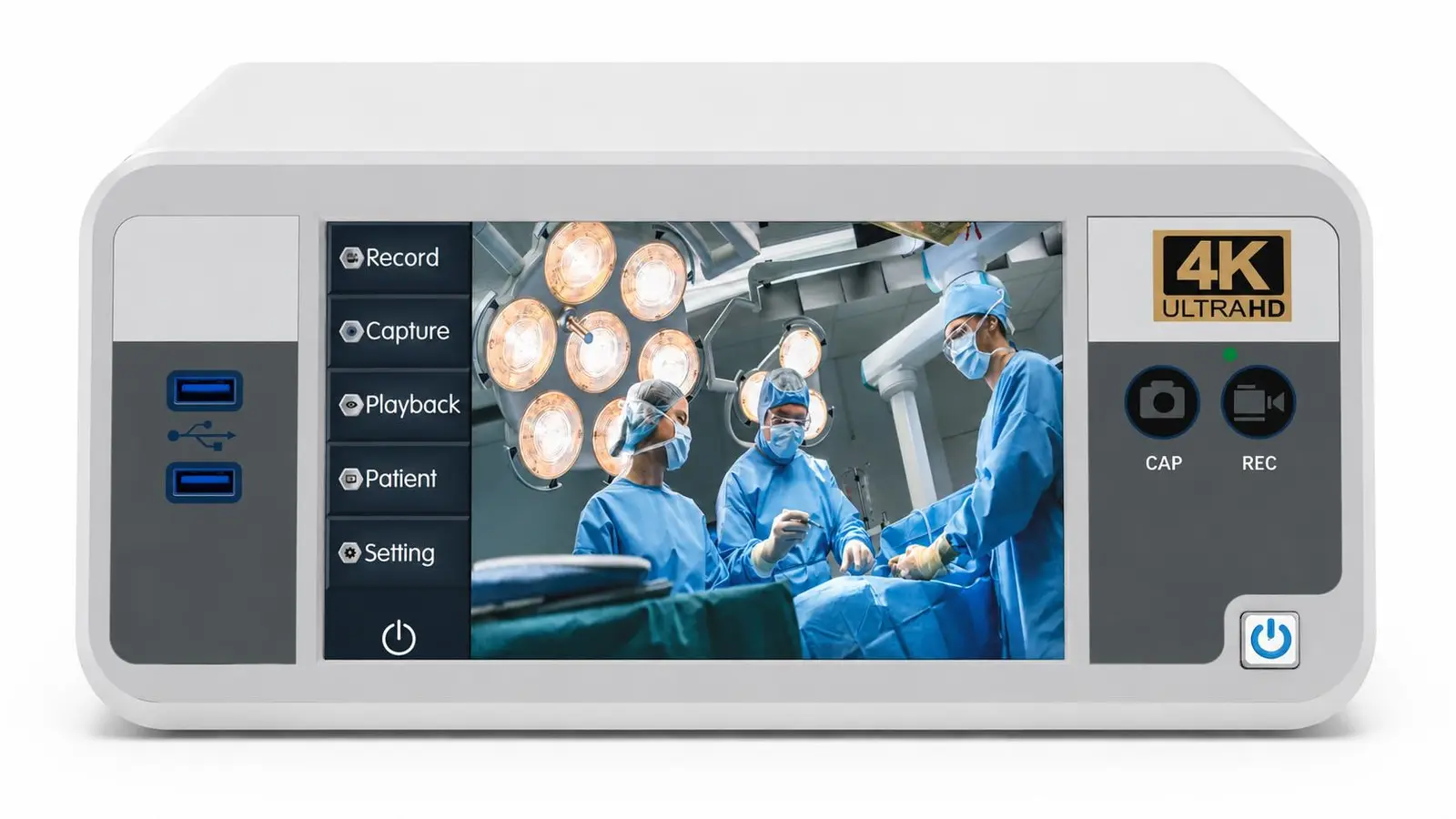
Connect two HDMI 2.0 surgical video sources to one recorder.
Record both channels together or select either input independently.
Capture two 4K HDMI sources in one operating room recording workflow.
Record both channels simultaneously, or record Channel 1 or Channel 2 independently.
Internal SSD, USB, portable HDD, LAN remote access, and optional FTP archiving.
Why dual-channel recording
Operating rooms may need to document two different views, such as an endoscopic source together with a surgical field camera, or a microscope together with a room-view camera. DM-RP4K2 provides two 4K HDMI inputs while retaining the same familiar recorder platform, touchscreen operation, storage, and archiving workflow.
Applications
Connect two compatible HDMI sources according to the surgical workflow. Final signal combinations, resolutions, and project interfaces should be confirmed before ordering.
Record the internal endoscopic view together with an external surgical field view.
Capture a microscope source and a second contextual view for teaching and review.
Preserve two complementary video sources for training, academic discussion, and case presentation.
Support hospitals and integrators that need two 4K sources within one recording and archiving platform.
Typical workflow
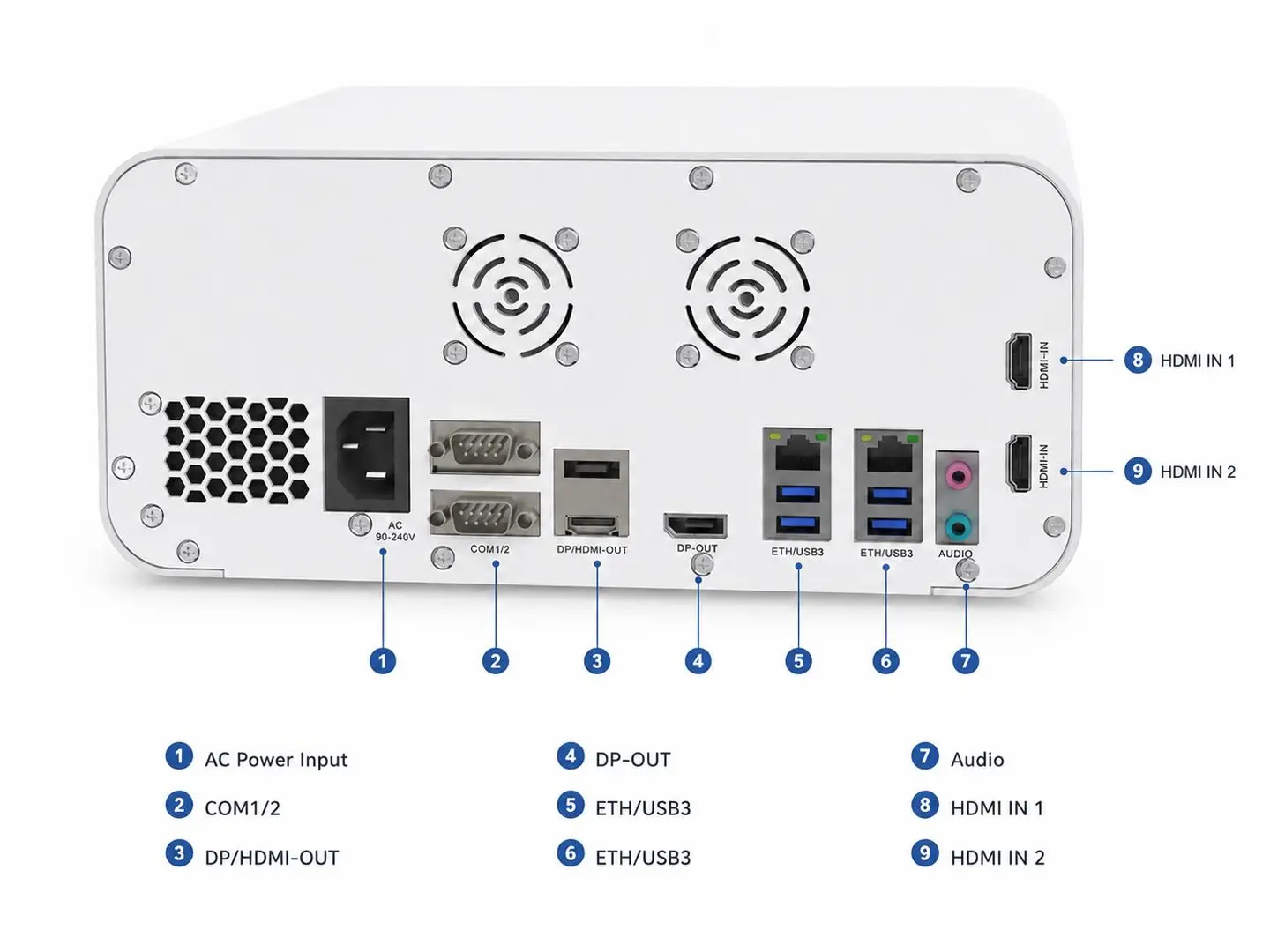
Connect the primary source to HDMI Input 1 and the secondary source to HDMI Input 2.
Choose simultaneous dual-channel recording or select Channel 1 or Channel 2 for independent recording.
Use local SSD, USB storage, LAN remote access, portable HDD, or optional FTP archiving according to policy.
Choose the right recorder
The main difference is the rear HDMI workflow. Choose DM-RP4K2 when two sources must be recorded; choose DM-RP4K1 when one source plus an HDMI loop-out is required.
| Video Inputs | HDMI 2.0 ×2 |
|---|---|
| Recording Mode | Both channels simultaneously or either channel independently |
| HDMI Loop Out | Not supported |
| Best For | Two-source surgical recording and multi-view teaching |
| Video Inputs | HDMI 2.0 ×1 |
|---|---|
| Recording Mode | Single-source recording |
| HDMI Loop Out | HDMI 2.0 ×1 |
| Best For | One-source recording with loop-out workflow |
Technical specifications
Use the following information for initial evaluation. Final configuration should be confirmed according to the video source, resolution, storage workflow, and tender requirements.
| Model | DM-RP4K2 |
|---|---|
| Video Input | HDMI 2.0 ×2 |
| Audio Input | Mic in / Line in |
| Monitor Output | HDMI 2.0 ×1 |
| HDMI Loop Out | Not supported |
| Recording Mode | Dual-channel simultaneous recording or single-channel selective recording |
| Video Encoding | H.264 High Profile |
| Video Format | MP4 |
| Photo Format | BMP |
| Touchscreen | 7-inch capacitive touchscreen |
|---|---|
| Control Method | Touchscreen / physical buttons / 2.4GHz wireless remote control |
| USB Ports | Front ×2, rear ×4 |
| Network | RJ45 ×2, 10 / 100 / 1000M |
| LAN Functions | Remote preview and download of recorded videos and images |
| Shortcut Buttons | Record, photo |
| Segment Recording | Supported, time configurable |
| Dual Storage | Internal SSD + external USB storage |
| Storage Devices | Internal SSD up to 2TB, USB disk, portable HDD, FTP storage server |
| Input Resolution | 3840×2160p@60; 1920×1080p@60 |
|---|---|
| Record Resolution | 3840×2160p@60; 1920×1080p@60 |
| Recording Bitrate | Configurable |
| Watermark | Supported |
| Preview Modes | Fast / slow / fullscreen preview |
| Video Editing | Supported |
| Power | AC 100–240V / 50–60Hz |
|---|---|
| Max Power | 80W max |
| Dimensions | 278 × 340 × 120 mm |
| Operating Temperature | 0°C to +40°C |
| Storage Temperature | -20°C to +60°C |
Note: Interface and storage workflow should be confirmed according to the final project BOM and hospital IT requirements.
Documents
For accurate evaluation, tell us your video source, target resolution, recording duration, storage policy, and whether the project requires department-level archiving or integration support.
FAQ
It is designed to capture two 4K surgical video sources for operating room recording, surgical teaching, case documentation, post-case review, and project-based archiving workflows.
Yes. DM-RP4K2 supports simultaneous recording of both 4K input channels. It can also record Channel 1 or Channel 2 independently when only one source is required.
No. On the dual-channel version, the single-channel model’s HDMI loop-out connector is replaced by HDMI Input 2. The recorder provides one HDMI monitor output.
The platform supports internal SSD recording and external USB storage workflows. The final backup workflow should be confirmed according to the selected configuration and storage policy.
Yes. It supports LAN connectivity for remote preview and downloading recorded videos and images, while optional FTP storage can support centralized department archiving.
Please share your country, the two intended video sources, required resolution and frame rate, whether simultaneous or selective recording is needed, storage workflow, quantity, and any tender or integration requirements.
Get recorder information and quotation
For a practical quotation, please share both intended video sources, required recording resolution, recording mode, storage method, quantity, and project timeline.
Please include both video sources, required recording mode, country, organization, and quantity.
We usually reply with configuration details, technical documents, and quotation guidance.